
GHD Sports APK
Watch Live Cricket Matches & Sports
Get the latest GHD Sports v28 APK for Android and enjoy live cricket, football, and sports TV channels for free. This updated version includes smoother playback, multiple streaming links, and improved stability for live matches.
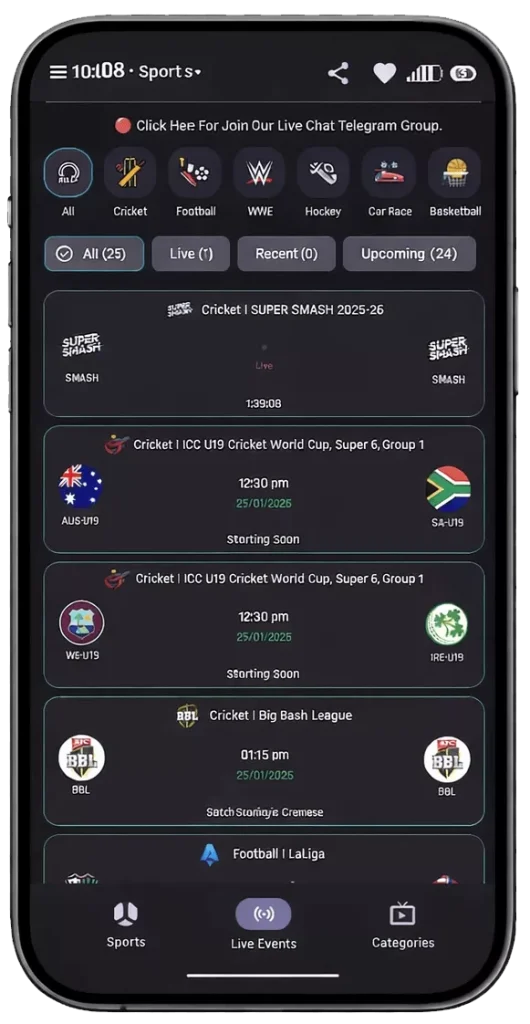
What is GHD Sports?
GHD Sports is a popular live sports streaming application for Android devices. It allows users to watch live sports matches, TV channels, and match highlights without requiring any subscription or login.
Unlike many apps that focus on a single region, GHD Sports covers global sporting events such as the IPL, PSL, Premier League, World Cup, NBA, and more. The app is known for its clean interface and multiple streaming link system, which helps users switch streams if one link stops working during high-traffic matches.
You are currently downloading Version 28 (v28), the latest stable release with bug fixes and performance improvements.
Live TV Channels
Watch a wide range of sports and news channels from different countries.
All Major Sports
Cricket, Football, Wrestling (WWE), Hockey, Tennis, Basketball, and more.
100% Free
No subscription, no hidden charges, and no account registration required.
Daily Updates
Streaming links are refreshed before and during live matches.
Download GHD Sports APK
GHD Sports is not available on the Google Play Store. You can download the latest v28 APK directly from this website.

Before installing:
- Enable Install from Unknown Sources in your phone settings
- Download the APK file from the link below
- Open the file and tapInstall
Explore GHD Sports: 3 Main Sections
The GHD Sports interface is built for speed and simplicity. The app is divided into three main sections to help you find content quickly.
1. Sports Tab
The Sports tab lets you browse streams by sport type. You can filter content for Cricket, Football, Basketball, WWE, Hockey, and other sports. This section is ideal for users looking for specific tournaments or matches.
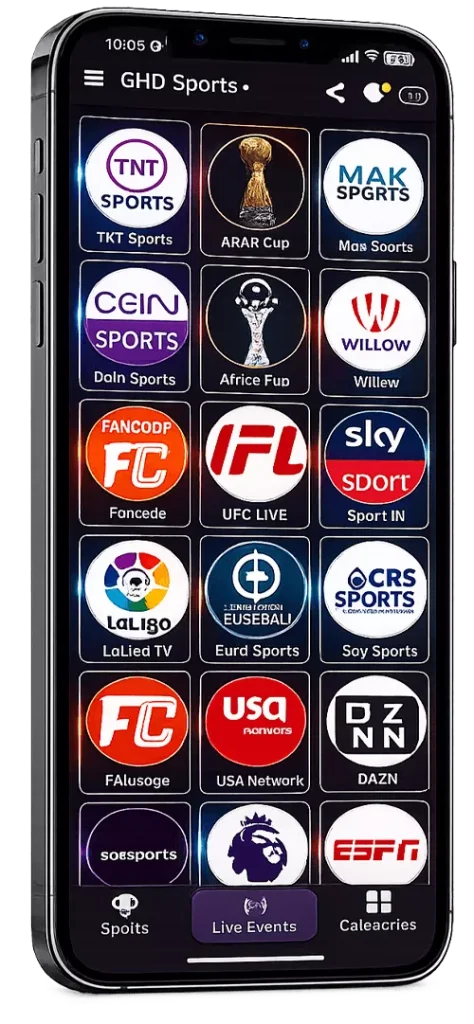
2. Live Events
This is the main dashboard of the app. It shows what is live right now and what’s coming next. Upcoming matches display countdown timers, while live matches are clearly marked so you don’t miss ongoing action.
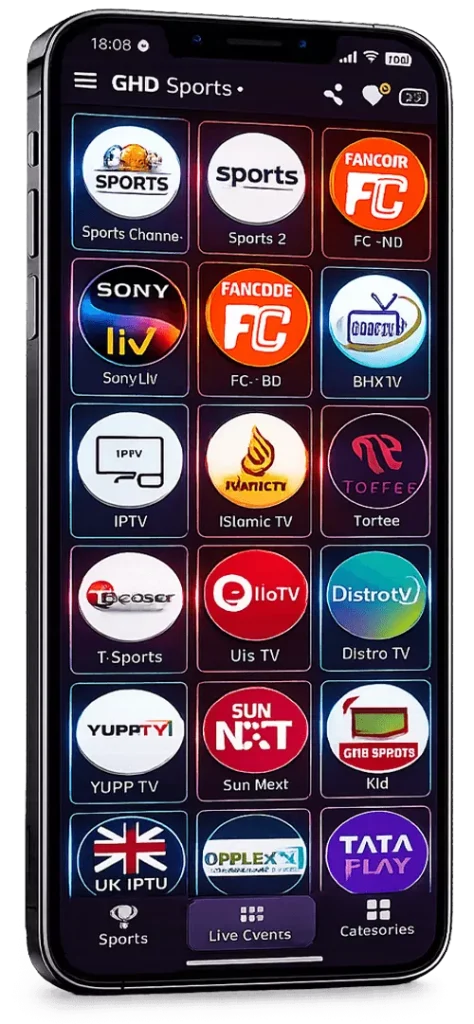
3. Categories
The Categories section expands beyond sports. It includes regional TV channels, news networks, and other entertainment content. Channels are organized by country and language for easier browsing.
Why Choose GHD Sports?
We designed GHD Sports to address the frustration caused by broken links and complex signups. Below are the three core technologies that make version 28 the most reliable sports app on Android.
High-Traffic Stability
Most free apps crash when millions of users tune in for a big match like India vs. Pakistan. GHD Sports is different. We use a “Dynamic Link System” that automatically balances the load.
If “Server A” gets overloaded, the app instantly reroutes you to “Server B” without buffering or stopping the video. This ensures 99.9% uptime during major tournaments such as the World Cup and the IPL.
Zero Friction Access
We believe sports should be instant. Other apps force you to register, verify your email, or buy a “Premium” plan just to watch 5 minutes of a game.
GHD Sports removes all barriers. There is no signup, no login, and no subscription. You simply install the APK, open it, and click play. We also do not track your location or personal data, ensuring complete privacy.
Optimized for Slow Net
Streaming HD sports usually requires a fast Wi-Fi connection. However, many users rely on 4G mobile data, which can be unstable.
Version 28 introduces the “Adaptive Bitrate Player”. You can manually select “Low Quality” in settings to reduce data consumption by up to 40%. This allows the stream to play smoothly even on weak signals, without constant buffering.
What Makes GHD Sports Different
GHD Sports focuses on practical features that improve the live sports-watching experience. Instead of adding unnecessary tools, the app includes simple options that help users control playback, manage streams, and reduce buffering during live matches.
Picture-in-Picture (PiP)
Multitask without missing a wicket. Minimize the live match into a small floating window and keep using WhatsApp or browsing Chrome while the video plays.
Custom Network Stream
Found a custom M3U8 or RTMP link? Use the “Network Stream” feature in the menu to load your own external URLs directly into the GHD player.
Force Low Quality
Save data instantly. This dedicated setting locks the video resolution to 360p, preventing buffering on slow connections and reducing data usage by up to 50%.
Favorites Manager
Don’t waste time searching. Long-press any channel or match to add it to your “Favorites” tab for one-tap access next time.
Live & Upcoming View
Stay organized. The app separates content into “Live” (happening now) and “Upcoming” (future events), complete with countdown timers for every match.
Telegram Integration
Get direct support. Access the official Telegram channel from the side menu to request new channels, report broken links, or get updates on match schedules.
Multi-Link Backup
Reliability guaranteed. Every match comes with multiple sources (Link 1, Link 2, Link 3). If one fails, simply tap another to resume streaming instantly.
Pro Video Player
Full control at your fingertips. Features include Screen Rotation lock, Aspect Ratio adjustment (Fit/Fill), and gesture controls for volume and brightness.
GHD Sports App Interface
Experience a Dark Mode UI designed for eye comfort. The interface is clean, intuitive, and organizes thousands of live streams into three simple tabs.
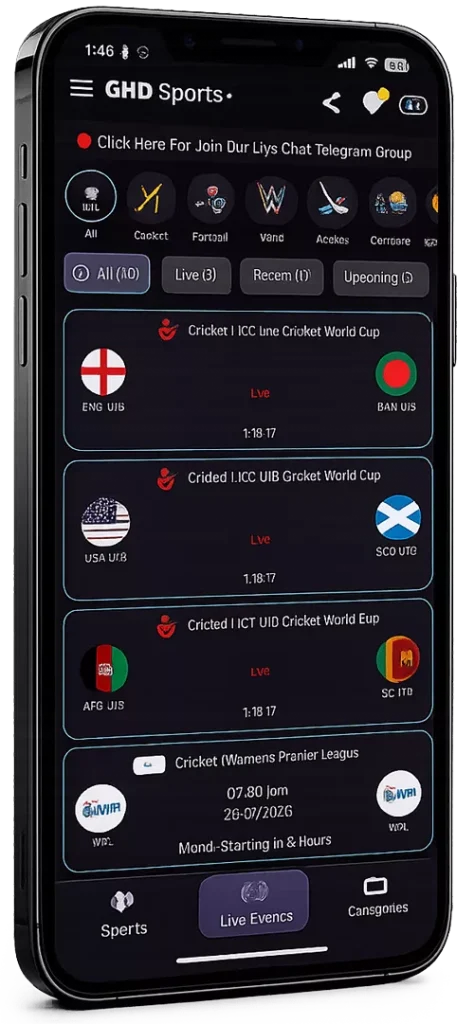
Live Dashboard
Real-time countdowns for matches.
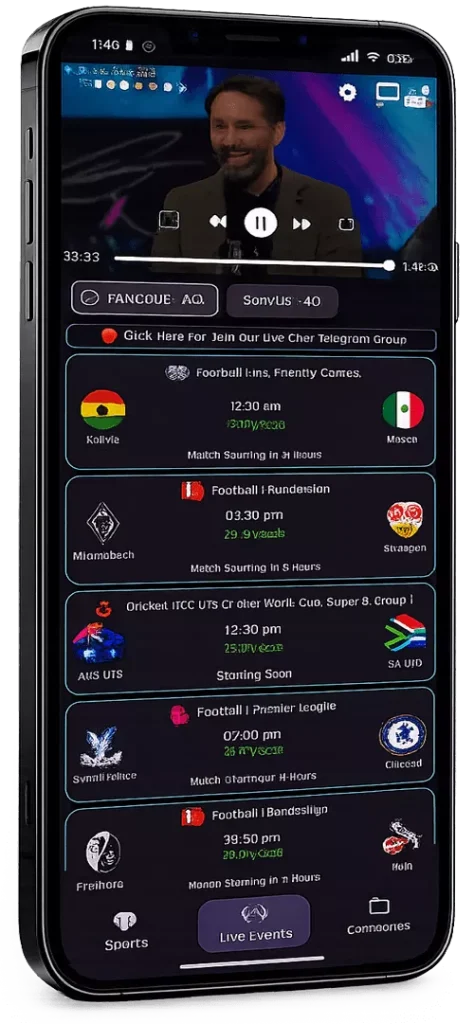
Video Player
Built-in controls & Multi-Link support.
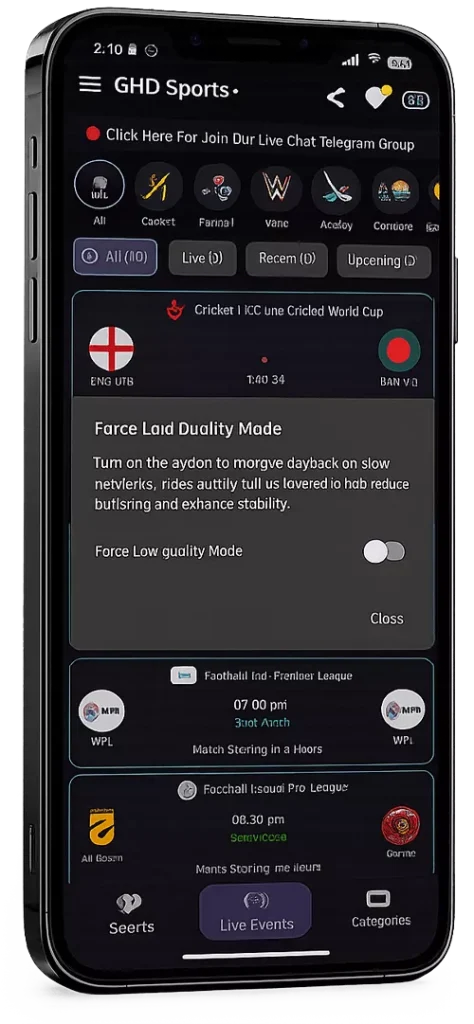
Settings Menu
Access “Force Low Quality” mode.
Startup Screen
Fast loading interface.
Frequently Asked Questions
Everything you need to know about GHD Sports before installing.
Download GHD Sports APK (Latest Version)
Watch live cricket, football, and sports channels anytime. Get the latest APK and enjoy smooth streaming, multiple links, and a clean interface built for sports fans.